How to Upgrade to Python 3.7 on Ubuntu 18.x

In this article, we will guide you to upgrade python 3.6 to python 3.7. Additionally, we will also show you to how you can switch between 3.6 and 3.7.

Step 1: Check the current version

Run the following command to verify the current version of python.

$ python3 --version

Output:

python 3.6.9

Step 2: Python 3.7 Installation

Run the following commands to install python 3.7

Preview(opens in a new tab)

$ sudo apt update -y
$ sudo apt install python3.7

Step 3: Add python 3.6 and 3.7 to update-alternatives

$ sudo update-alternatives --install /usr/bin/python3 python3 /usr/bin/python3.6 1
$ sudo update-alternatives --install /usr/bin/python3 python3 /usr/bin/python3.7 2

Step 4: Pointing to python 3.7

Run the following command to point to python 3.7 (or 3.6)

$ sudo update-alternatives --config python3

Output:

There are 2 choices for the alternative python3 (providing /usr/bin/python3).
Selection Path Priority Status
0 /usr/bin/python3.6 1 auto mode
1 /usr/bin/python3.6 1 manual mode
2 /usr/bin/python3.7 2 manual mode
Press to keep the current choice[*], or type selection number:

Use “2” to point to python 3.7 and use”1″ to point to python 3.6. The selection might be little bit different on your system.

Under the hood, it uses sym-links to point to the selected version of python.


Step 4: Check the python version

$ python3 --version

Congrats! You are done!
Install OpenSSH on Ubuntu

SSH is not installed on Ubuntu, by default. You will have to install the SSH server.

OpenSSH is a open source SSH server that is free, and is widely used in the industry.

Installing OPENSSH

# sudo apt-get install openssh-server

Starting SSH

# sudo service ssh start

Stopping SSH

# sudo service ssh stop

Status SSH

# sudo service ssh status

Restart SSH

# sudo service ssh restart

SSH Server runs at port 22 by default. Checking port 22

# netstat -ant | grep 22
tcp        0      0 0.0.0.0:22              0.0.0.0:*               LISTEN 
tcp6       0      0 :::22                   :::*                    LISTEN

Now that you have the SSH Server installed, you should be able to SSH into this fedora machine from any other machine using any ssh client.


How To Install Nginx on Ubuntu 16.04?

Nginx is one of the popular web servers used on the internet. Ngnix can be used as a web server or a reverse proxy.

  1. Install Nginx
    1. sudo apt-get update
    2. sudo apt-get install nginx
  2. Make changes to Firewall
    1. sudo ufw app list (to list apps)
    2. sudo ufw allow ‘Nginx HTTP’
    3. sudo ufw status
  3. Check the status
    1. systemctl status nginx
  4. Nginx Relates Files and Folders
    1. Web Content Location: /var/www/html
    2. Nginx Configuration File: /etc/nginx/nginx.conf
    3. Access Log: /var/log/nginx/access.log
    4. Error Log: /var/log/nginx/error.log
  5. Managing Nginx
    1. Stop: sudo systemctl stop nginx
    2. Start: sudo systemctl start nginx
    3. Restart: sudo systemctl restart nginx
    4. Reload Config Changes: sudo systemctl reload nginx

Simple VBScript to get the filenames, file size etc.

Simple VBScript to get the filenames, file size and date created given the folder path

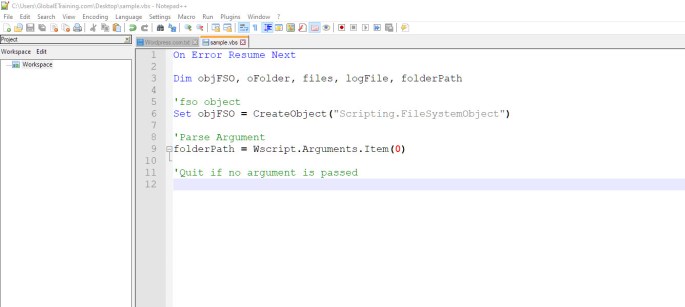
On Error Resume Next

Dim objFSO, oFolder, files, logFile, folderPath

'fso object
Set objFSO = CreateObject("Scripting.FileSystemObject")

'Parse Argument
folderPath = Wscript.Arguments.Item(0)
 
'Quit if no argument is passed

If folderPath = "" Then
   Wscript.Echo "No Folder parameter was passed"
   Wscript.Quit
End If

'Get folder & files
Set logFile = objFSO.CreateTextFile(folderPath&"\logFile.txt", True)
Set oFolder = objFSO.GetFolder(folderPath)
Set files = oFolder.Files

'Loop
For each file In files
  logFile.WriteLine(file.Name & " " & file.size & " bytes " & " 
  DateCreated " & file.DateCreated)
Next

logFile.Close