Tutorial: Python Virtual Environment Wrapper

Installation:

Step 1: Make sure the “virtualenv” is already installed

virtualenv --version

Step 2: Install “virtualenvwrapper

sudo -H python3 -m pip install virtualenvwrapper

Step 3: Add some environment variables

Add the following at your .bash_profile file (or to your shell’s profile file)

export WORKON_HOME="$HOME/my_python_venvs"
export VIRTUALENVWRAPPER_VIRTUALENV="/usr/local/bin/virtualenv"
export VIRTUALENVWRAPPER_PYTHON="/usr/bin/python3"

export PROJECT_HOME="$HOME/my_python_projects"

Step 4: Source the wrapper script

 source /usr/local/bin/virtualenvwrapper.sh

Step 5: Create directories

mkdir $HOME/my_python_venvs
mkdir $HOME/my_python_projects

You are ready to use the virtualenvwrapper!!

Using virtualenvwrapper
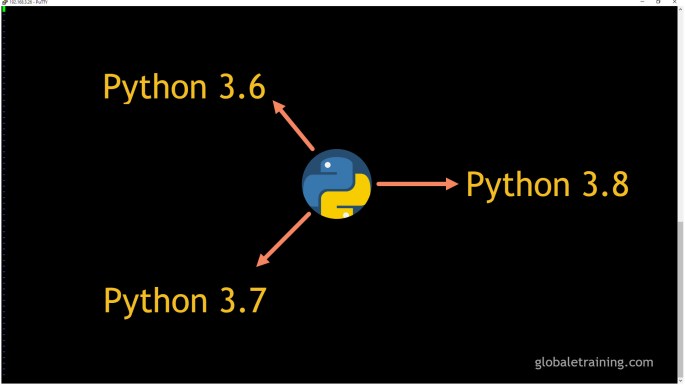
Switch between multiple versions of python3

You can have multiple versions of python 3 installed on your Ubuntu machine, and switch between the versions. This presents nice flexibility to the users. You can potentially have the latest version installed, and switch to the prior version easily!

The following steps will enable you to switch between 3.6, 3.7 and 3.8 version of python on a ubuntu machine.

Step 1: Check existing version

$ python3 --version
Python 3.6.9

Step 2: Run apt update

$ sudo apt update -y

Step 3: Install python 3.7

$ sudo apt install python3.7

Step 4: Install python 3.8

$ sudo apt install python3.8

Step 5: Use “update-alternatives” enable the switch flexibility

$ sudo update-alternatives --install /usr/bin/python3 python3 /usr/bin/python3.6 1
$ sudo update-alternatives --install /usr/bin/python3 python3 /usr/bin/python3.7 2
$ sudo update-alternatives --install /usr/bin/python3 python3 /usr/bin/python3.8 3

Step 6: Now, you can switch between the python version by executing the following command, and picking the one you desire.

$ sudo update-alternatives --config python3
There are 3 choices for the alternative python3 (providing /usr/bin/python3).

  Selection    Path                Priority   Status
------------------------------------------------------------
* 0            /usr/bin/python3.6   2         auto mode
  1            /usr/bin/python3.6   2         manual mode
  2            /usr/bin/python3.7   2         manual mode
  3            /usr/bin/python3.8   2         manual mode

Press <enter> to keep the current choice[*], or type selection number:

Step 7: Test the version by running the following command

$ python3 --version
Python 3.7.5    (Note: This depends on the version installed, and picked)

How to Upgrade to Python 3.7 on Ubuntu 18.x

In this article, we will guide you to upgrade python 3.6 to python 3.7. Additionally, we will also show you to how you can switch between 3.6 and 3.7.

Step 1: Check the current version

Run the following command to verify the current version of python.

$ python3 --version

Output:

python 3.6.9

Step 2: Python 3.7 Installation

Run the following commands to install python 3.7

Preview(opens in a new tab)

$ sudo apt update -y
$ sudo apt install python3.7

Step 3: Add python 3.6 and 3.7 to update-alternatives

$ sudo update-alternatives --install /usr/bin/python3 python3 /usr/bin/python3.6 1
$ sudo update-alternatives --install /usr/bin/python3 python3 /usr/bin/python3.7 2

Step 4: Pointing to python 3.7

Run the following command to point to python 3.7 (or 3.6)

$ sudo update-alternatives --config python3

Output:

There are 2 choices for the alternative python3 (providing /usr/bin/python3).
Selection Path Priority Status
0 /usr/bin/python3.6 1 auto mode
1 /usr/bin/python3.6 1 manual mode
2 /usr/bin/python3.7 2 manual mode
Press to keep the current choice[*], or type selection number:

Use “2” to point to python 3.7 and use”1″ to point to python 3.6. The selection might be little bit different on your system.

Under the hood, it uses sym-links to point to the selected version of python.


Step 4: Check the python version

$ python3 --version

Congrats! You are done!

Zen of Python

The Zen of Python (’20 Points’) enlightens you with knowledge to write simple and elegant code:

Enter “import this” @ our python REPL to get the list:

  1. Beautiful is better than ugly.
  2. Explicit is better than implicit.
  3. Simple is better than complex.
  4. Complex is better than complicated.
  5. Flat is better than nested.
  6. Sparse is better than dense.
  7. Readability counts.
  8. Special cases aren’t special enough to break the rules.
  9. Although practicality beats purity.
  10. Errors should never pass silently.
  11. Unless explicitly silenced.
  12. In the face of ambiguity, refuse the temptation to guess.
  13. There should be one– and preferably only one –obvious way to do it.
  14. Although that way may not be obvious at first unless you’re Dutch.
  15. Now is better than never.
  16. Although never is often better than *right* now.
  17. If the implementation is hard to explain, it’s a bad idea.
  18. If the implementation is easy to explain, it may be a good idea.
  19. Namespaces are one honking great idea — let’s do more of those!